Repos
The default. Each repo is a soft area round its apps, named on top. Services several apps use sit between areas; a service only one thing uses sits next to it.Layers
Rows, top to bottom: repos, apps, outside services, then cloud and hosting. Every line runs down, so you can read the map like a stack.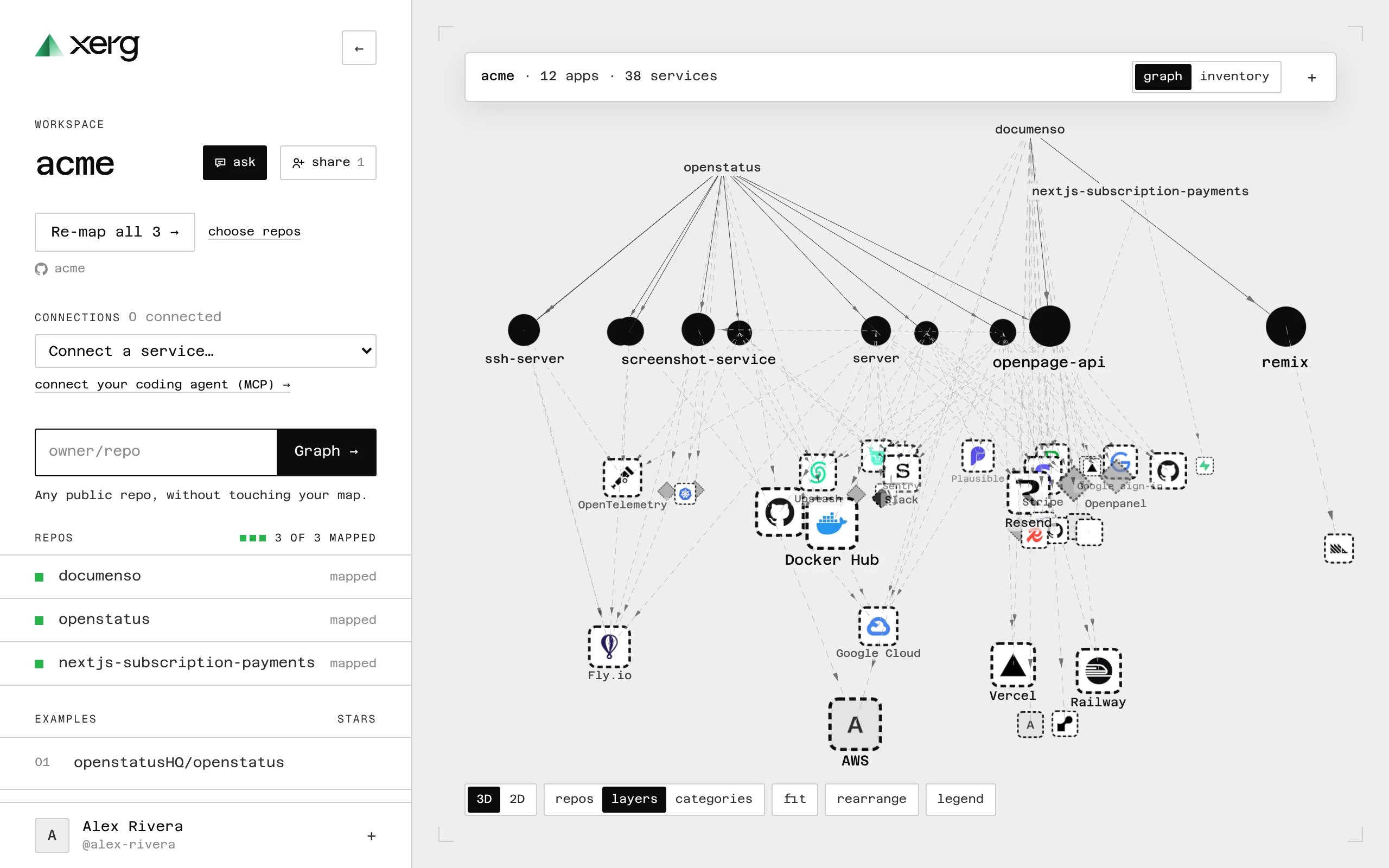
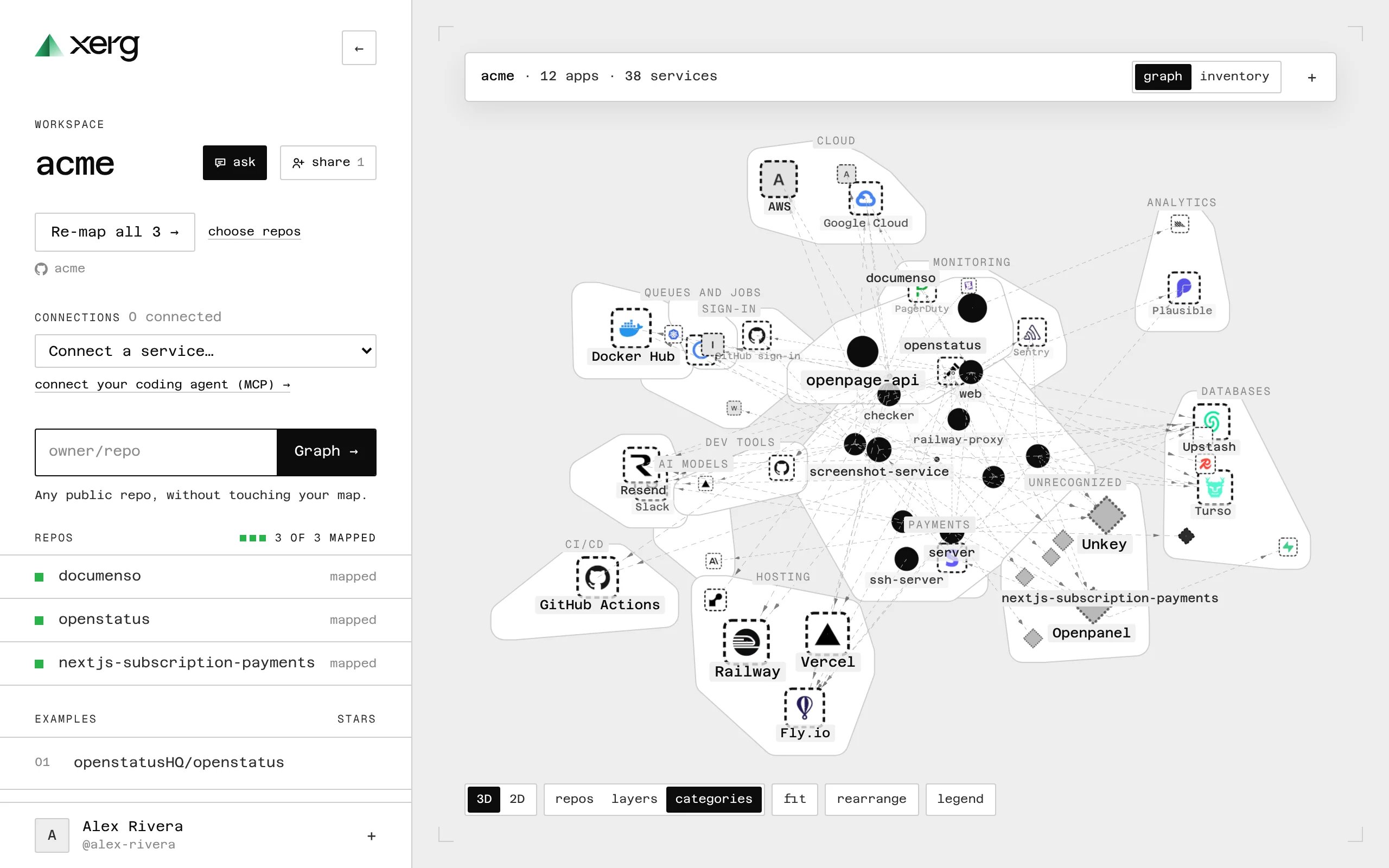
Categories
Outside services in an area per kind (payments, databases, monitoring, AI…), round the apps in the middle. Good for “what do we use for each job?”.